To place an order, select your favorite product, fill in the Personalization options (names, photos, styles), and click "Add to Cart." Then, proceed to Checkout, enter your shipping info, and complete payment. You will receive a confirmation email within 10-15 minutes.
Step 1: Choose and Customize Your Product
Once you find a design you love:
Personalization Options: Look for fields to enter names, select characters, or upload photos.
Live Preview: Click the "Preview" button to see a real-time digital version of your custom gift.
Double-Check: Please review all spellings and options carefully before adding to the cart.
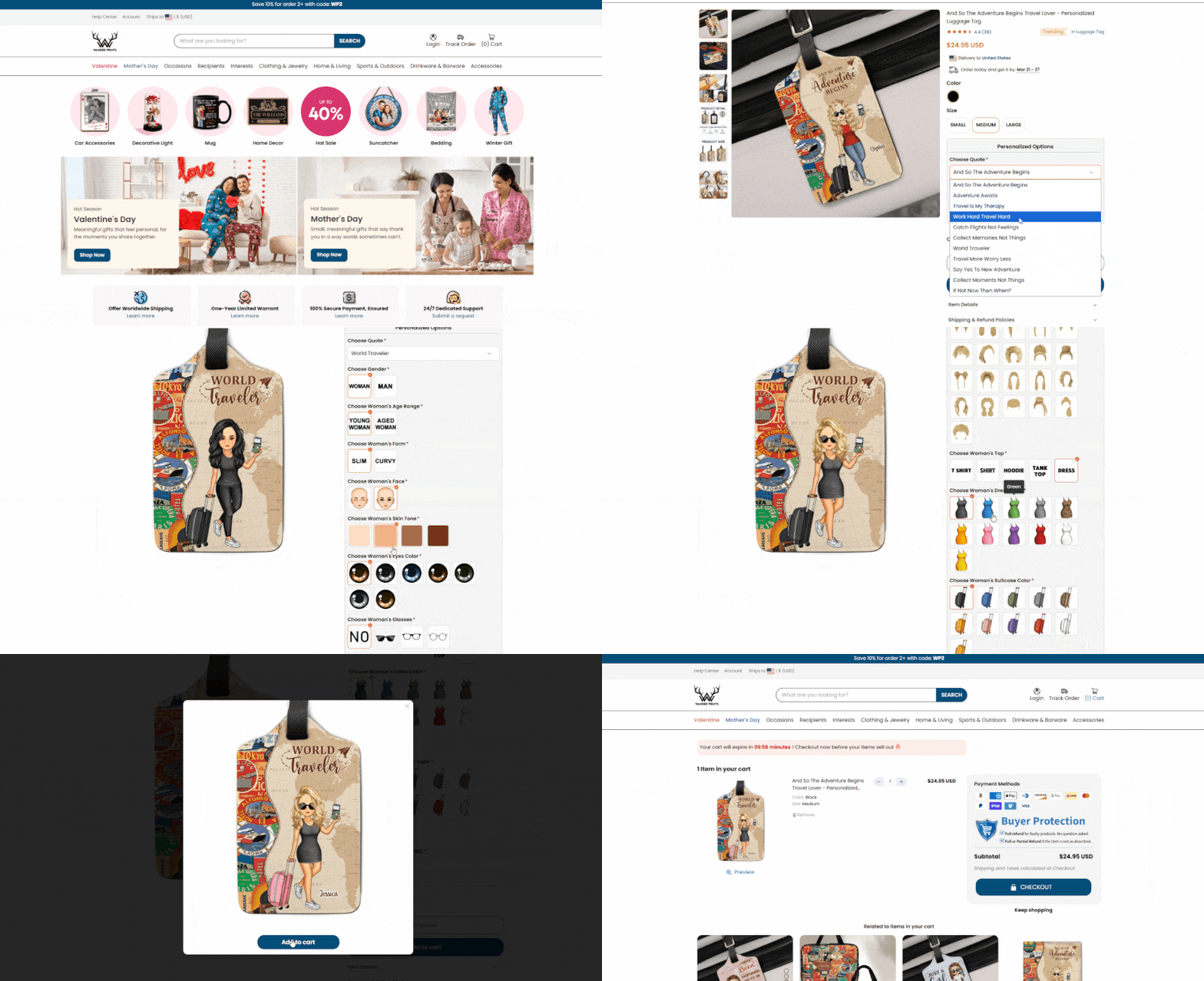
Step 2: Add to Cart & Review
Click the "Add to Cart" button.
A summary will appear. Ensure the Quantity and Details are exactly what you want.
Click "Check Out" to proceed.
Step 3: Shipping & Discount Code
Shipping Information: Enter your email and full delivery address.
Tip: Please double-check your House Number and Zip Code.
Discount Code: If you have a coupon, enter it in the "Discount code" box and click "Apply".
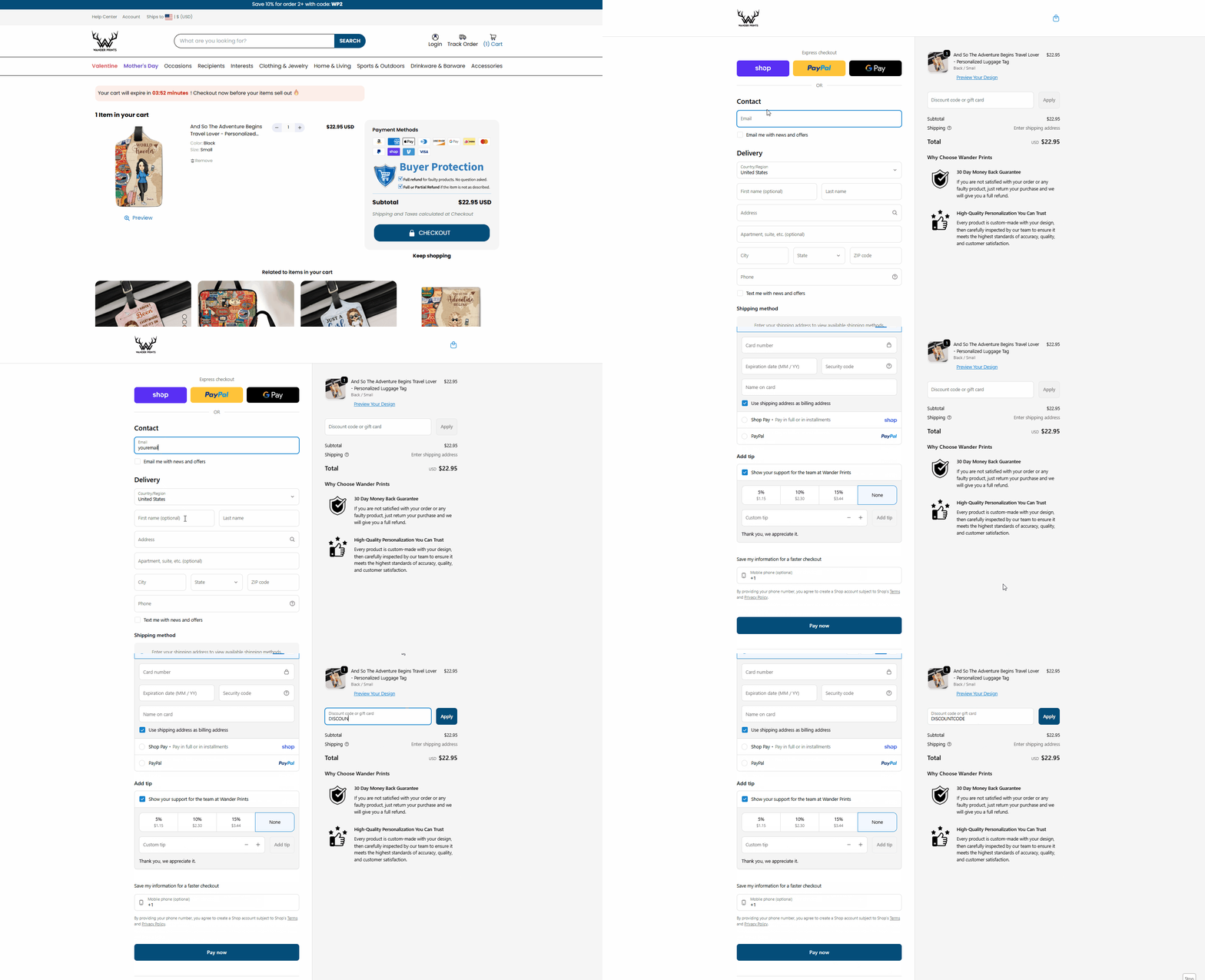
Step 4: Payment & Confirmation
Select your payment method (PayPal, Credit Card, etc.).
Click "Complete Order".
Check Your Inbox: An Order Confirmation email containing your Order ID (e.g., #AGV656FA) will be sent to you shortly.
5. [IMPORTANT] Post-Purchase Policy
2-Hour Window: You have 2 hours to request any changes or cancellations. After this, the order is locked for production.
Support: If you encounter any issues during checkout, contact us immediately at support@wanderprints.com.
Was this article helpful?
That’s Great!
Thank you for your feedback
Sorry! We couldn't be helpful
Thank you for your feedback
Feedback sent
We appreciate your effort and will try to fix the article