To track your order, visit our Tracking Order Page. You can search by entering your Tracking Number (from your shipping email) or your Email address. Please allow 3-7 business days after purchase for tracking information to be available.
1. Finding your Tracking Information
Before you start, ensure you have:
- Tracking Number: Sent via the "Shipping Confirmation" email.
- Email Address: The one used to place your order.
- Check Spam: If you haven't seen our email, please check your Junk/Spam folder.
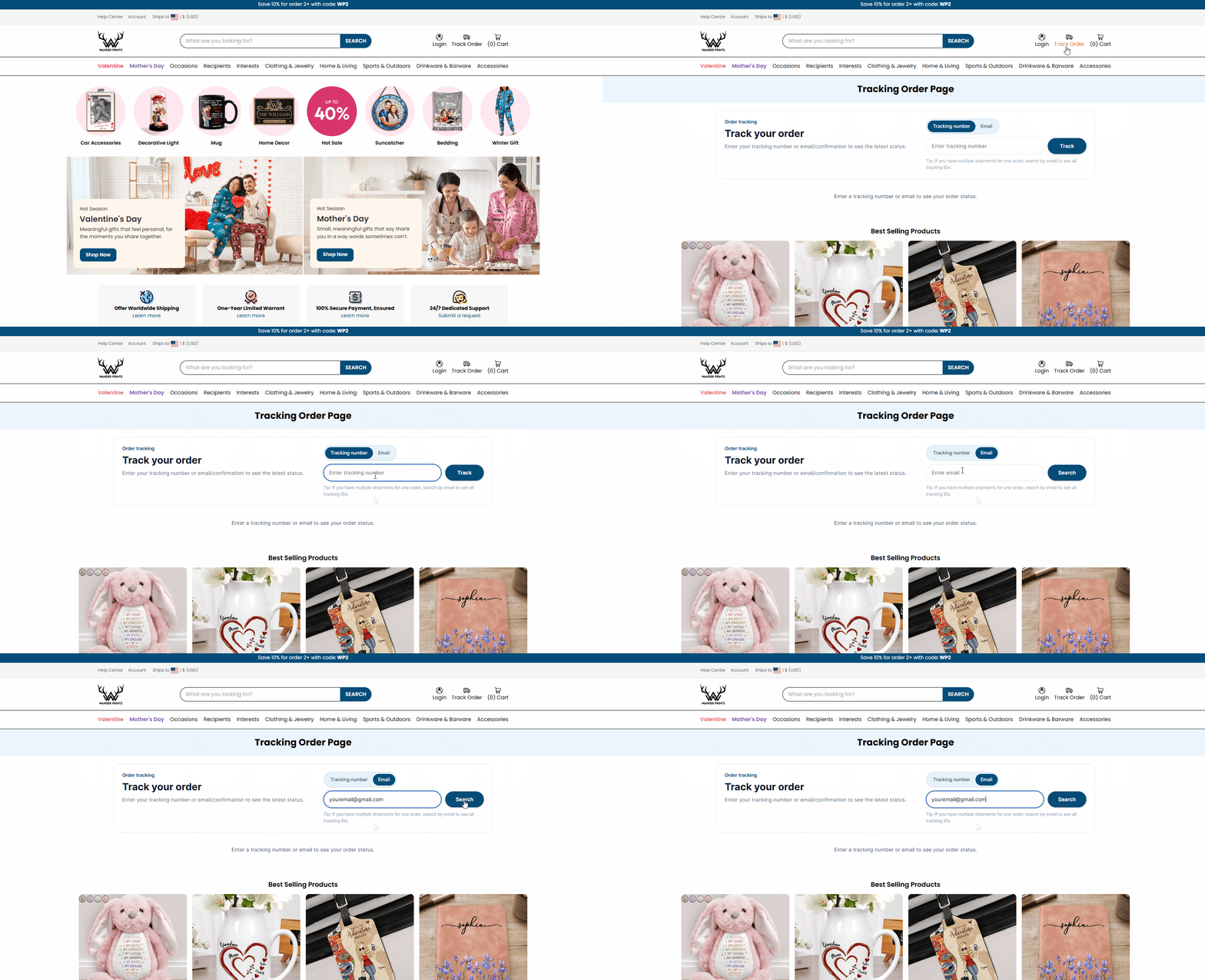
2. How to track on Desktop (PC)
- Scroll to the Footer (bottom of the page).
- Under "CUSTOMER SERVICE", click on Order Tracking.
- Select the "Tracking number" or "Email" tab.
- Enter your details and click the dark blue "Track" button.
3. How to track on Mobile Phone
- Tap the Menu (three horizontal lines) at the top left corner.
- Select "Track Order" from the list.
- Choose your tracking method (Number or Email).
- Type your info and tap the "Track" button.
4. Why is my tracking status not updating?
- In Transit: Your package is moving between sorting centers (international or local).
- Pending: The courier has received the info but hasn't scanned the package yet. Please wait 1-2 business days.
- Customs: International orders may pause for a few days during customs clearance.
5. [IMPORTANT] Official Support Policy
To ensure we receive your request and can help you quickly:
- Official Channel ✓: Only email us at support@wanderprints.com.
- Warning ✘: Do NOT reply to marketing emails, newsletters, or automated shipping notifications. Our support team does not see messages sent to these addresses.
- Lost Package? If there is no update for more than 20 days, please contact us via the official email above.
Was this article helpful?
That’s Great!
Thank you for your feedback
Sorry! We couldn't be helpful
Thank you for your feedback
Feedback sent
We appreciate your effort and will try to fix the article